An apparel order is more than a total.
Two orders with the same dollar amount can mean very different work for your office. One might contain a single color in complete prepacks. Another might include several styles, colors and size quantities. The order needs to preserve those choices clearly.
SHOWROOM4K records the buyer and selected line items when the order is submitted through a connected wholesale site or presentation. The brand can review those records in one order center instead of relying only on a collection of emails and messages.
Check quantity rules before the order reaches your team.
Incorrect quantities can turn an otherwise simple order into several rounds of follow-up. Product ordering rules help buyers build valid size quantities or complete prepacks before they submit. The application validates submitted line items against the saved catalog rules.
A six-unit prepack, for example, might contain one small, two medium, two large and one extra-large. Adding another pack repeats that ratio. An open-size product can instead require a minimum and increment for each selected size. Make those rules reflect how you actually sell and ship the line.
Give the team one place to review the sale.
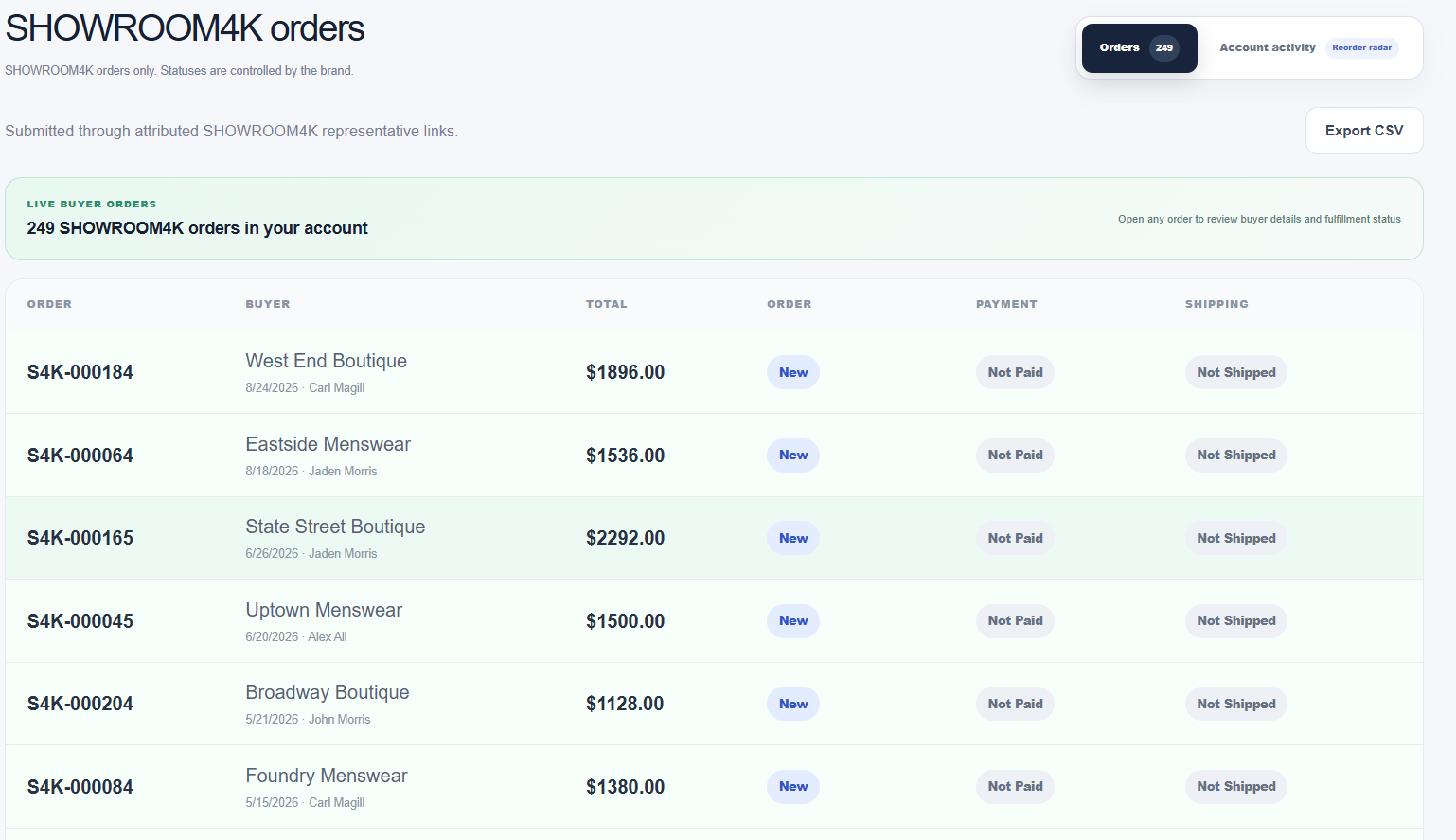
Website and presentation orders appear in the brand’s order center with their buyer details, selected products, quantities and totals. Representative attribution helps the team see which sales relationship the order belongs to when an attributed buyer link was used.
Review the order with the buyer before treating it as ready for fulfillment. Confirm the delivery window, purchase order reference, address, freight, taxes and payment arrangements according to your business process. The software organizes the record; your team still makes the commercial decisions.
Keep order, payment and shipping status separate.
“Complete” should not have to mean accepted, paid and shipped all at once. Keeping those stages distinct gives the owner and sales team a clearer view of work that still needs attention. Update the saved statuses as the order progresses.
Payment status is an operational record. Marking an order paid does not process a card charge, and marking an order shipped does not purchase a shipping label. Treat those updates as confirmation of work completed through your payment and fulfillment process.
- Review incoming order details and resolve questions.
- Record payment status after confirming the payment arrangement.
- Update shipping status when your fulfillment process has progressed.
- Use the order history when the buyer contacts the team again.
Choose order software that matches your actual handoff.
Before changing systems, map how an order gets from a buyer to your office and then to fulfillment. Identify who approves it, who confirms payment and who updates the buyer. Use a representative sample order to test the new process.
SHOWROOM4K connects its own catalog, presentations, buyer ordering and brand dashboard. If you depend on automatic inventory synchronization, warehouse workflows, accounting or an ERP connection, verify the specific integration requirements in advance. Do not assume that an order appearing in the dashboard has also reached another system.
Common questions
Do presentation orders and website orders use the same order center?
Yes. Orders submitted through the connected buyer experiences return to the corresponding brand’s workspace.
Does order submission automatically charge the buyer?
No. The order is submitted for brand review. Payment terms and collection are handled separately through the brand’s agreed process.
Can I use this alongside my existing order system?
Potentially, with a clearly defined handoff. Automatic synchronization needs a compatibility review; discuss your existing system and avoid duplicate order entry or fulfillment.